Reduce Menu Confusion and Improve Customer Confidence

You’ve seen it before. A customer scans the menu, pauses, scrolls again, asks a question, then changes their mind. What seems like indecision is often something else entirely - confusion.
When diners aren’t sure what a dish includes, how it’s prepared, or what to expect, they hesitate. That hesitation slows service, increases pressure on staff, and often leads customers to play it safe rather than explore your menu.
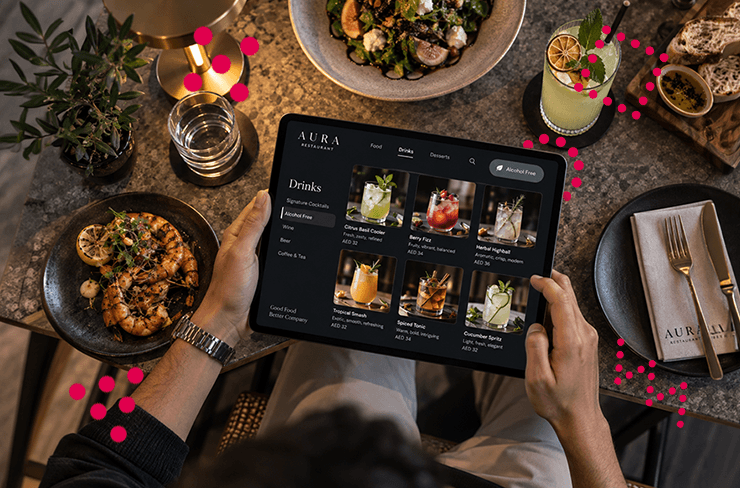
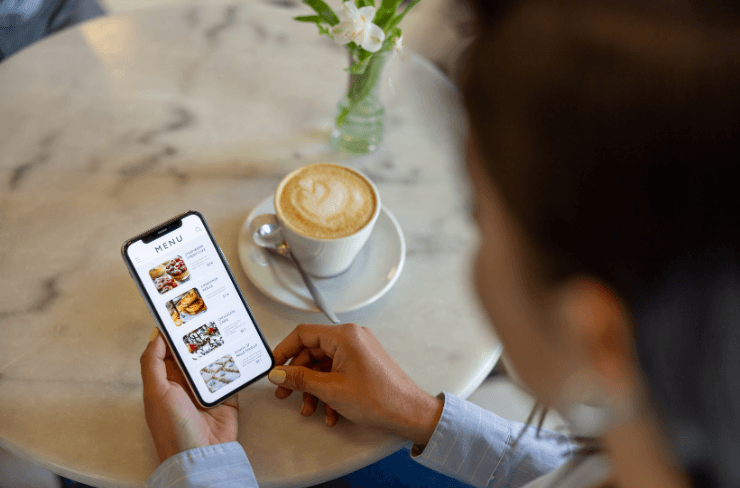
A well-designed digital restaurant menu eliminates that uncertainty. It gives customers the clarity they need to order confidently, quickly, and with greater satisfaction. Here’s how to reduce confusion and create a smoother, more intuitive menu experience.
Start with Clear, Structured Categories
Confusion often begins with poor organisation. If customers can’t easily find what they’re looking for, the entire experience becomes frustrating.
Your electronic menu should be structured to mirror how people naturally think about food. Start with clear, familiar categories such as starters, mains, desserts, and drinks. Avoid overly creative naming that may look clever but confuses first-time diners.
Within each category, group similar items together. For example, separate grilled dishes from pasta or vegetarian options. This makes scanning easier and helps customers compare options without having to jump between sections.
A clean structure ensures your digital menu feels intuitive from the moment it opens.
Remove Guesswork from Dish Descriptions
One of the biggest sources of confusion is vague or overly complex descriptions.
Customers shouldn’t have to decode what a dish is. Instead, your digital restaurant menu should answer their questions instantly. Focus on clarity over creativity when writing descriptions.
Each item should clearly communicate:
- What the dish is
- Key ingredients
- How it’s prepared
- Any important dietary information
For example, instead of writing “Chef’s special chicken,” a clearer version would be “Grilled chicken breast with garlic butter, served with roasted potatoes.”
This level of detail builds trust and helps customers feel confident in their choices.
Use Visuals to Set Expectations
Even the best descriptions can only go so far. Visuals are what truly remove uncertainty.
Adding images to your digital menu allows customers to see exactly what they’re ordering. This is especially useful for unfamiliar dishes or premium items where expectations matter most.
A well-placed image can answer questions instantly:
- What does the portion size look like?
- How is the dish presented?
- What sides are included?
With an electronic menu, you’re not limited by space, so you can include visuals without cluttering the design. The key is to use them strategically - focus on signature dishes and high-impact items rather than every single option.
Answer Questions Before They’re Asked
Every restaurant has recurring questions:
“Is this spicy?”
“Does it include nuts?”
“Is it suitable for vegetarians?”
Instead of relying on staff to answer these repeatedly, your digital restaurant menu can handle it for you.
Include additional information directly within each item, such as:
- Dietary labels (vegan, gluten-free, dairy-free)
- Spice levels
- Nutritional details
- Ingredient highlights
Some menus also include short FAQs for certain dishes. This reduces back-and-forth between customers and staff, speeding up service while improving clarity.
Keep the Menu Updated at All Times
Few things frustrate customers more than ordering something that isn’t available.
With a digital menu, you can update items instantly. If a dish is sold out, it can be removed or clearly marked in real time.
This prevents confusion, avoids awkward conversations, and keeps the experience smooth. Customers only see what they can actually order, which speeds up and improves decision-making.
An up-to-date electronic menu also lets you adjust pricing, descriptions, or specials without delay, ensuring everything remains accurate.
Make It Easy to Compare Options
Customers often hesitate because they’re trying to compare multiple dishes at once.
A well-designed digital restaurant menu helps simplify this process. Instead of overwhelming diners with long lists, present options in a way that makes comparison easy.
This can be done by:
- Keeping descriptions consistent in length and format
- Highlighting key differences between similar dishes
- Grouping items logically
For example, if you offer multiple burgers, clearly distinguish them by ingredients or style rather than leaving customers to guess.
The easier it is to compare, the faster customers can make a decision.
Reduce Overcrowding and Clutter
More options don’t always mean better choices. In fact, too many options can lead to decision fatigue.
If your electronic menu feels crowded or overwhelming, customers may struggle to choose anything at all.
Focus on quality over quantity. Instead of listing every possible variation, streamline your offerings and highlight the most relevant options.
Whitespace, clean design, and clear spacing also play a role. A well-balanced digital menu feels easier to navigate and less stressful to browse.
Support Faster Decisions with Smart Features
Digital menus offer functionality that printed menus simply can’t.
Features like search and filtering allow customers to quickly find what they’re looking for. Whether they want vegetarian dishes, low-calorie options, or specific ingredients, these tools remove unnecessary browsing.
A digital restaurant menu with search and filtering helps customers skip to relevant choices, saving time and reducing frustration.
Additionally, allowing customers to save or build their order as they browse can make the process feel more structured and efficient.
Build Trust Through Transparency
Confidence comes from trust. When customers feel informed, they’re more comfortable making decisions - and often more willing to try new items.
Transparency in your electronic menu goes a long way. Providing clear ingredient information, sourcing details, or even sustainability notes can reassure diners and enhance their experience.
For example, highlighting locally sourced ingredients or clearly stating allergens can make a big difference in how customers perceive your menu.
A transparent digital menu doesn’t just inform - it builds credibility.
Final Thoughts
Menu confusion isn’t just a minor inconvenience - it directly impacts service speed, customer satisfaction, and even revenue.
By refining your digital restaurant menu, you create an experience that feels effortless and intuitive. Customers know what they’re ordering, feel confident in their choices, and move through the process without hesitation.
When clarity replaces confusion, everything improves - from faster table turnover to happier guests and a smoother operation overall.
Sometimes, the simplest change isn’t adding more - it’s making things clearer.
.png)
Join the Culinary Revolution!
Transform your dining experience with Redro. Boost efficiency, delight diners, and fire up your sales. It’s more than a menu—it’s a game-changer for your brand.